
Actionable Insights
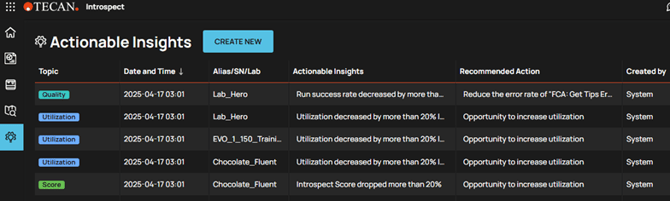
Actionable Insights will give you further info about e.g. utilization, quality, consumption, performance of your instrument.
Create customized Actionable Insights
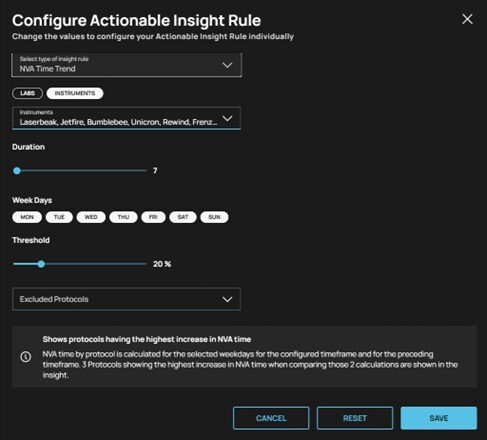
Insights will be made configurable so as the user can choose to trigger them or not, based on his expected thresholds. He will be able to exclude specific weekdays and/or protocols.
Insights can be created for
• Advanced utilization
• Advanced success rate
• NVA Time trend
New tiles on Home screen
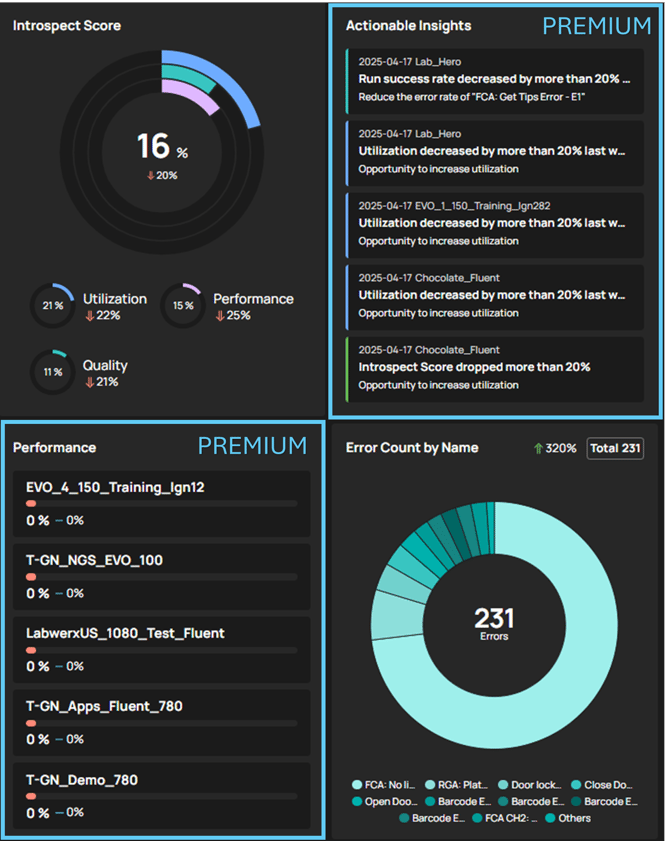
New tiles will be added to your dashboard giving you direct insights into your fleet or single instrument.
Export Data
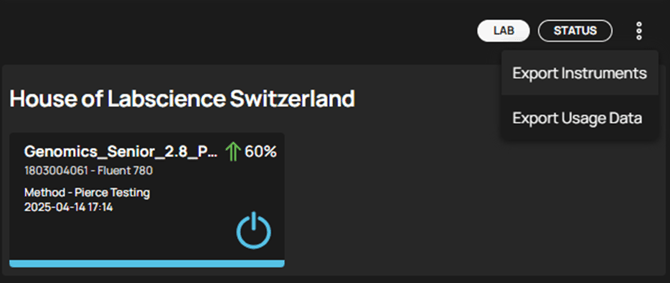
You can export usage data for up to 5 selected instruments at the same time like MethodName, RunName, DiTiCount, LabwareName, ErrorCount and many more. Additionally Export Instruments allows to easily extract data of the selected instruments like Name, Serial Number, Instrument Type, Instrument Size.
Introspect API
Introspect Cloud API User Guide
The Introspect Cloud API for usage data provides endpoints to:
- Retrieve instrument metadata
- Access historical usage data
- Obtain instrument indicators
All endpoints require authentication and are subject to rate limits.
The Live API allows connection to a SignalR hub and all messages published to this hub within Introspect are forwarded to any client connected to the Live API.
Following data points are supported by the API:
Usage Data:
- Retrieve instrument metadata
- Access historical usage data
- Obtain instrument indicators
Extracted Usage Data via API like:
- Run Name
- Start of run and end of run
- Run state
- DiTi Name & DiTi Count
- Labware Name & Labware Count
- Error Name & Error Count
- Customized variables
Live Data:
- LiveMessages (Instrument status)
- StateChanges (Instrument state)
Instrument Configuration
The instrument configuration details can be accessed on the instruments page over the tool icon in the instrument card.
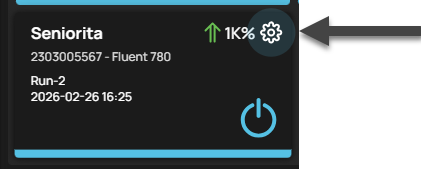
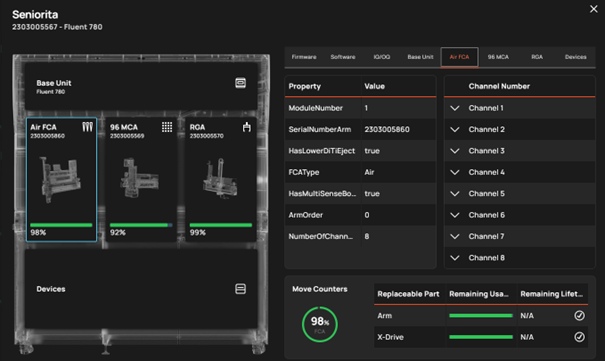
Instrument and software configuration are displayed with details on devices in the respective tabs.
Detailed information* on:
- Instrument base unit
- Modules like FCA, MCA, RGA and more with their details
- Installed Software and versions
- IQ/OQ
- Move Counts
- Devices
*displayed content may vary based on the instrument type and revision
Further help
For further help, please refer to our Helpdesk.
Link to Tecan Product Page
403020-008