![logo-10.png]](https://www.tecan.com/hs-fs/hubfs/social-suggested-images/logo-10.png?height=30&name=logo-10.png)
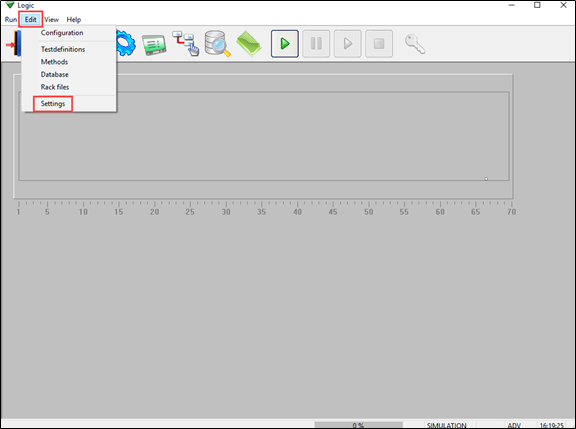
- Start the EVO Logic™ application.
- Click “Edit” and then “Settings”.
- In the “Settings” window, check the “active” box to activate USM.
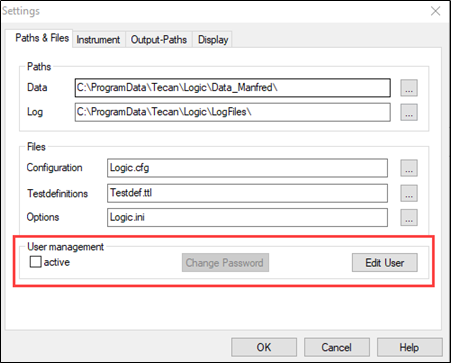
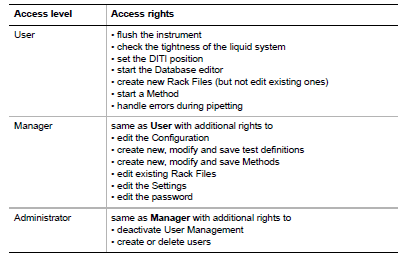
Note: Once USM is active, EVO Logic™ prompts the user to enter his/her name and password at start-up. Click “Edit User” to create new users or delete existing users. EVO Logic™ features three user access levels with the following rights:
We recommend activating USM to prevent unauthorized changes to validated processes.
Next steps in case of further questions:
- Note your serial number. Where do I find my serial number?
- Create a service request.
401813-005