![logo-10.png]](https://www.tecan.com/hs-fs/hubfs/social-suggested-images/logo-10.png?height=30&name=logo-10.png)
- Start the EVO Logic™ application.
- Click “Run” and then “Set Counter”.
- In the prompt that appears, set the position of the next available DiTi.
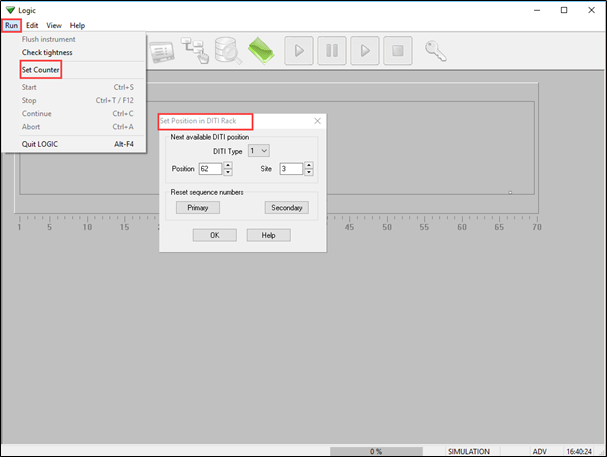
- Note: After loading new DiTi racks onto the worktable, the DiTi position must be set to 1.
Next steps in case there are further questions:
- Note your serial number. Where do I find my serial number?
- Create a service request.
401813-006