
To transfer methods created in SparkControl™ from one computer to another, you need to first export and then import the methods via the “Export” and “Import” options in the software.
To export methods, follow this procedure:
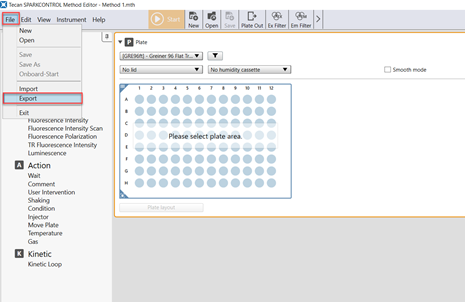
In the Method Editor, select “Export” under “File”.
The Method File Explorer opens where can select single methods for export. After selecting the file, Press “Export”.
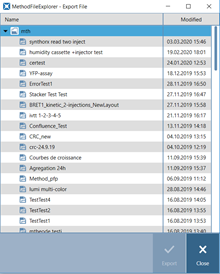
Select a directory where the method (.xml) should be saved.
The .xml file of the method can be transferred to another computer.
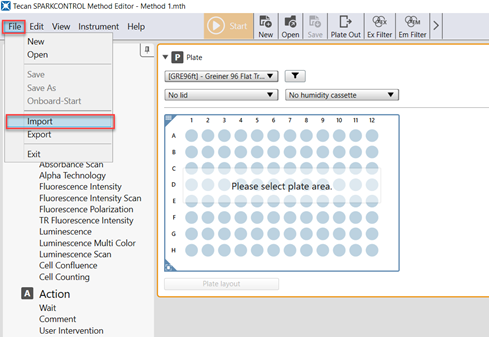
To import methods, select “Import” under “File”.
In the Method File Explorer, click the “Import” button and select the .xml file to import.
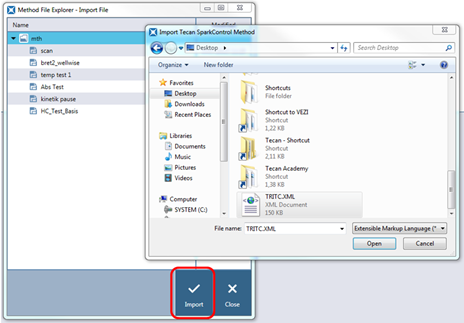
Please keep in mind that methods can only be exported and imported one by one.
Further help
For further help, please refer to our Helpdesk.
Link to Tecan Product Page
401821-013