![logo-10.png]](https://www.tecan.com/hs-fs/hubfs/social-suggested-images/logo-10.png?height=30&name=logo-10.png)
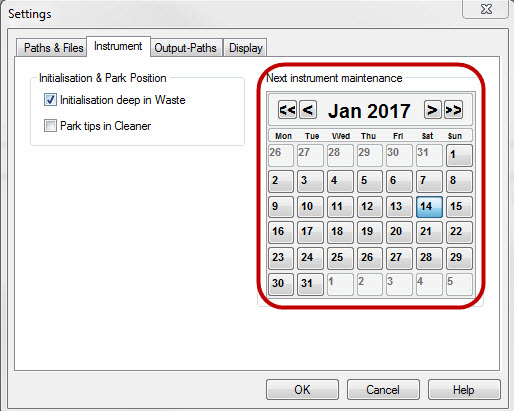
- Start the EVO Logic™ application.
- Click “Settings” and select the “Instrument” tab.
- On the calendar, set the date of the next instrument maintenance.
Next steps in case of further questions:
- Note your serial number. Where do I find my serial number?
- Create a service request.
401813-007