![logo-10.png]](https://www.tecan.com/hs-fs/hubfs/social-suggested-images/logo-10.png?height=30&name=logo-10.png)
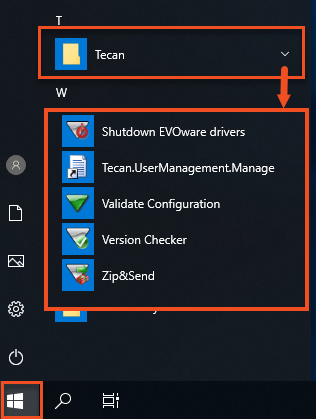
- Start Zip&Send from the Windows® Start menu.
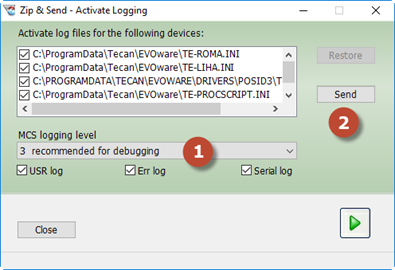
- Select MCS logging level; we recommend level 3. Click “Send” to proceed.
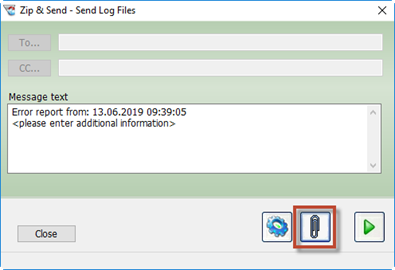
- Click the paper clip to add all required files.
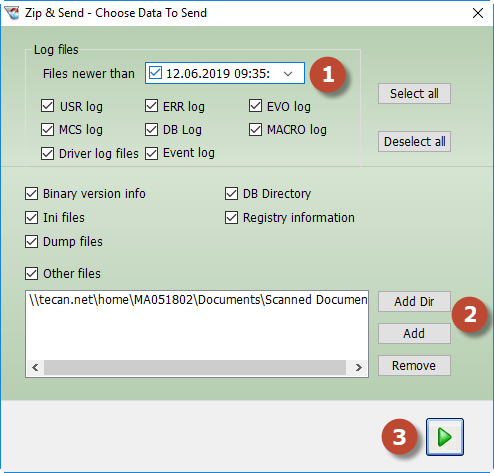
- Restrict the data collection to the first occurrence of the error.
- Important: Add a time margin before the error to ensure that the device initialization preceding the error (1) is included.
- Include additional files, such as worklist files, VB scripts, etc. (2).
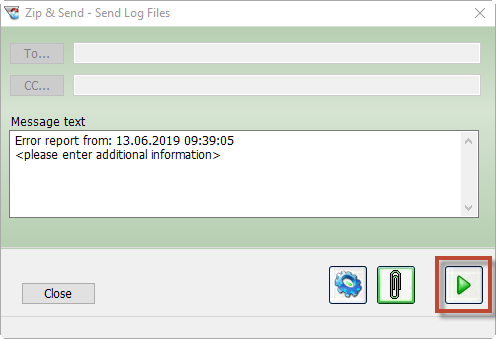
- Click the green arrow (3) to confirm the selection.
- Click the green arrow to collect the files.
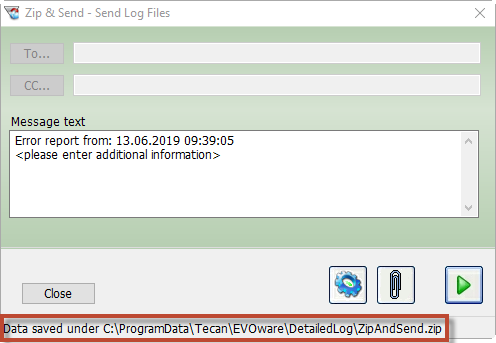
- Retrieve the ZipAndSend.zip file from the specified location.
Next steps:
- Note your serial number. Where do I find my serial number?
- Create a service request.
401812-007