
This article should draw attention to certain characteristics of SparkControl Magellan V 3.2 SP1.
When SparkControl Magellan V 3.2 SP1 starts the message below is displayed.
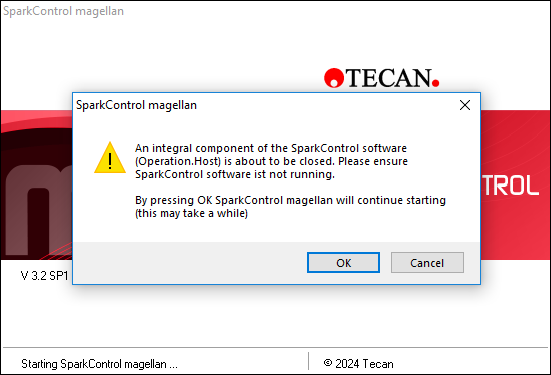
Click “OK” here to continue starting the software. The startup will take 1-2 minutes.
This message is to inform you that starting with V 3.2 SP1 SparkControl Magellan includes its own Operation Host. The Operation Host is a continuously active software component responsible for managing the connection to the Spark instrument.
When Magellan starts, it will shut down the existing SparkControl Operation Host and start its own Operation Host.
SparkControl Magellan V 3.2 SP1 is compatible with the following versions of SparkControl:
- SparkControl V 3.2
- SparkControl V 3.2 SP1
- SparkControl V 4.0
- SparkControl V 4.1
In case SparkControl Magellan V 3.2 SP1 is used in combination with EVOware, the following change is recommended.
Increase the Magellan InitTimeout from the default 30 seconds to 120 seconds.
This setting can be found in the Te-Magellan.ini file, which is located in the EVOware program folder with the following default path C:\ProgramData\Tecan\EVOware\Te-Magellan.ini
[Settings]
DeviceType=Magellan
DataFile=C:\ProgramData\Tecan\EVOware\Output\<YYMMDD-NNN>
InitTimeout=120
This change allows SparkControl Magellan V3.2 SP1 to complete the initialization of its connectivity services with the Spark instrument within the time expected by the EVOware driver.
General Information:
When using SparkControl Magellan V 3.2 SP1 via the Ole Interface, for example, within third-party-software, it is recommended to set the response time to 120 seconds. This allows SparkControl Magellan enough time to fully start up.
Further help:
For further help, please refer to our Tecan Helpdesk .
Link to Tecan Product Page
401822-023